Is Your WordPress Website Running on Too Many Plugins?
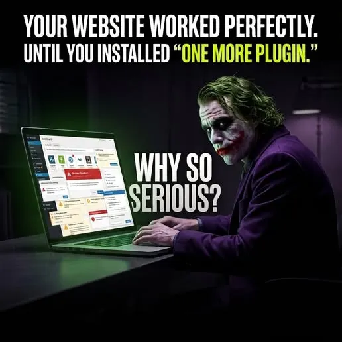
“Just install one more plugin.”
We’ve all heard it before.
You need a new feature, so installing a plugin seems like the easiest solution. A few clicks later, the feature is working and everything feels fine.
Until it isn’t.
Your checkout suddenly stops working. A page looks broken. Your website becomes slower. An update creates an unexpected error.
So you install another plugin to fix the problem.
Then another.
Before long, you’re troubleshooting the plugin that was supposed to fix the plugin that caused the original problem.
This is how a simple website can turn into a complicated maintenance project.
The Problem Isn’t Always the Plugin
Plugins aren’t inherently bad. In fact, they are one of the reasons WordPress is so flexible.
The problem starts when plugins are added without considering the overall architecture of the website.
Two plugins can sometimes interfere with each other, while plugin and theme compatibility issues can also create unexpected behavior. WordPress documentation specifically recognizes plugin conflicts as a common troubleshooting issue.
The bigger question isn’t:
“How many plugins do I have?”
It’s:
“Does every plugin have a clear purpose, and does it work properly with the rest of my website?”
Plugin Stacking Creates Technical Debt
Every additional plugin introduces another piece of software that needs to work with:
- WordPress core
- Your theme
- Other plugins
- Your hosting environment
- PHP and database configurations
- Your website’s custom functionality
When several tools perform overlapping functions, troubleshooting can become significantly more complicated.
For example, installing multiple tools that modify similar parts of your website can create unnecessary complexity. Instead of adding another quick fix every time something goes wrong, businesses should consider whether the underlying website architecture needs improvement.
Your Website Should Be Built With Purpose
A quality WordPress website development service isn’t simply about installing a theme and adding plugins.
It should begin with understanding what your business actually needs.
Before adding another plugin, ask:
Can this functionality be handled by an existing system?
Does the plugin solve a genuine business requirement?
Is it compatible with the current website environment?
Will it create unnecessary performance or maintenance overhead?
Would custom development be a better long-term solution?
Sometimes the right answer really is a plugin.
Other times, the better solution is a cleaner implementation through professional development.
Don’t Use Plugins to Patch Every Problem
One of the biggest mistakes businesses make is treating every website problem as something that needs another plugin.
A slow website gets a plugin.
A broken checkout gets a plugin.
A missing feature gets a plugin.
Then another plugin is added to optimize the first three.
Eventually, you’re managing a collection of interconnected solutions rather than one well-planned website.
This is where professional website development services can make a difference.
Instead of continuously patching problems, developers can evaluate the website’s architecture and determine whether the functionality should be simplified, replaced, or custom-built.
Test Before You Change Your Live Website
If you need to install or update a plugin, don’t treat your live website as a testing environment.
A staging or development site gives you a safer place to test changes before they affect customers. WordPress’s own learning resources recommend using a staging environment when testing updates and plugins.
A sensible workflow is:
- Back up the website.
- Test the plugin in a staging environment.
- Check compatibility with your theme and other plugins.
- Test important functionality such as forms and checkout.
- Monitor performance.
- Deploy the change to the live website only after testing.
This simple process can prevent a small plugin update from becoming a major business problem.
When Custom Development Makes More Sense
Sometimes your website has outgrown its collection of plugins.
If a business depends on several plugins to deliver core functionality, it may be time to rethink the technical architecture.
Custom development can provide a more controlled solution for functionality that is unique to your business.
That’s particularly important for businesses with complex workflows, ecommerce requirements, integrations, customer portals, or specialized functionality.
A professional website development firm can evaluate your existing setup and recommend whether plugins, custom development, or a combination of both makes the most sense.
Build a Website That Works for Your Business
Your website should help you get business done.
It shouldn’t become another full-time responsibility.
Plugins can be incredibly useful, but they should support your website not define its entire architecture.
A well-planned WordPress website development service focuses on functionality, performance, compatibility, security, maintainability, and future growth.
So, be honest with yourself:
How many plugins are currently running on your website and how many of them do you actually need?
If the answer is “too many,” it may be time to stop adding quick fixes and start building with purpose.
Devstank helps businesses create, improve, and maintain professional websites with a focus on performance, functionality, scalability, and long-term business goals.
Build smarter. Maintain less. Grow with confidence.